Crate Digging
ObiStrip Crate Digging
for YouTube Samples
ObiStrip helps music producers organize YouTube videos, save sample timestamps, and revisit the exact moments they want to chop, flip, and collect.
USE YOUR KEYBOARD TO PLAY
What It Means
Crate digging moved online.
Traditional crate digging meant hunting through record shops for rare sounds. Today, a lot of that digging happens inside YouTube archives, vinyl rips, mixes, soundtracks, and long-form uploads.
ObiStrip adapts that workflow for producers who need structure. It is not a downloader. It is a way to organize sources, save timestamps, and keep the exact moments worth revisiting.
Why YouTube Digging Breaks Down
-
Playlists save full videos, not the exact drum break, texture, or vocal moment you found.
-
Long uploads make it easy to lose a great sample if you are relying on memory or scattered notes.
-
Browser tabs, watch later lists, and random bookmarks do not create a repeatable producer workflow.
Why YouTube
YouTube is full of rare digging material.
Producers dig on YouTube because it surfaces obscure channels, long vinyl uploads, soundtrack cuts, regional music archives, and forgotten mixes. The opportunity is huge, but the workflow is messy without a system for timestamps and source organization.
Rare Sources
Dig through uploads that never appear in a normal streaming workflow.
Long-Form Archives
Find useful moments buried inside 30, 40, or 60 minutes of audio and video.
Producer Context
Turn inspiration into a workflow you can search, revisit, and build on later.
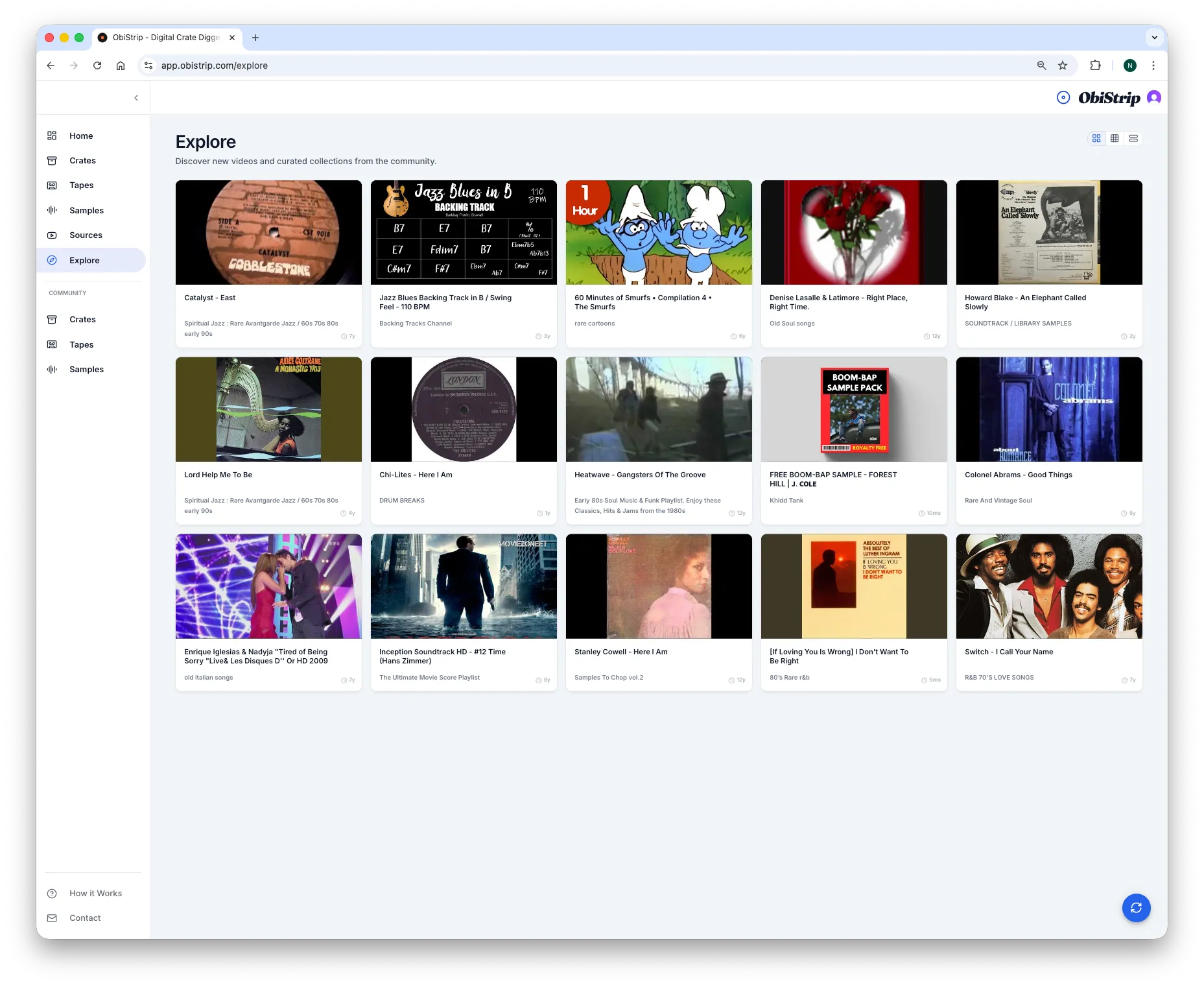
Explore
Explore gives producers a curated list of channels and playlists to dig through, which makes source discovery faster than starting from scratch every session.
Workflow
Crates, Tapes, and timestamps.
ObiStrip turns product terminology into a usable digging system. Save sources, mark moments, group finds, and come back to them when you are ready to make music.
Step 1
Save Sources Into Crates
Collect YouTube videos, channels, and archives into crates so your digging sessions stay organized by mood, era, genre, or project.
Step 2
Mark Precise Timestamps
Save the exact moments you want to revisit instead of losing a drum break, texture, or vocal line inside a 50-minute upload.
Step 3
Build Tapes From Finds
Group useful chops and timestamps into Tapes so you can return to them later, share them, or keep them tied to a production idea.
Step 4
Search Your Digging Workflow
Turn scattered discoveries into a searchable system instead of relying on browser tabs, playlists, or memory.
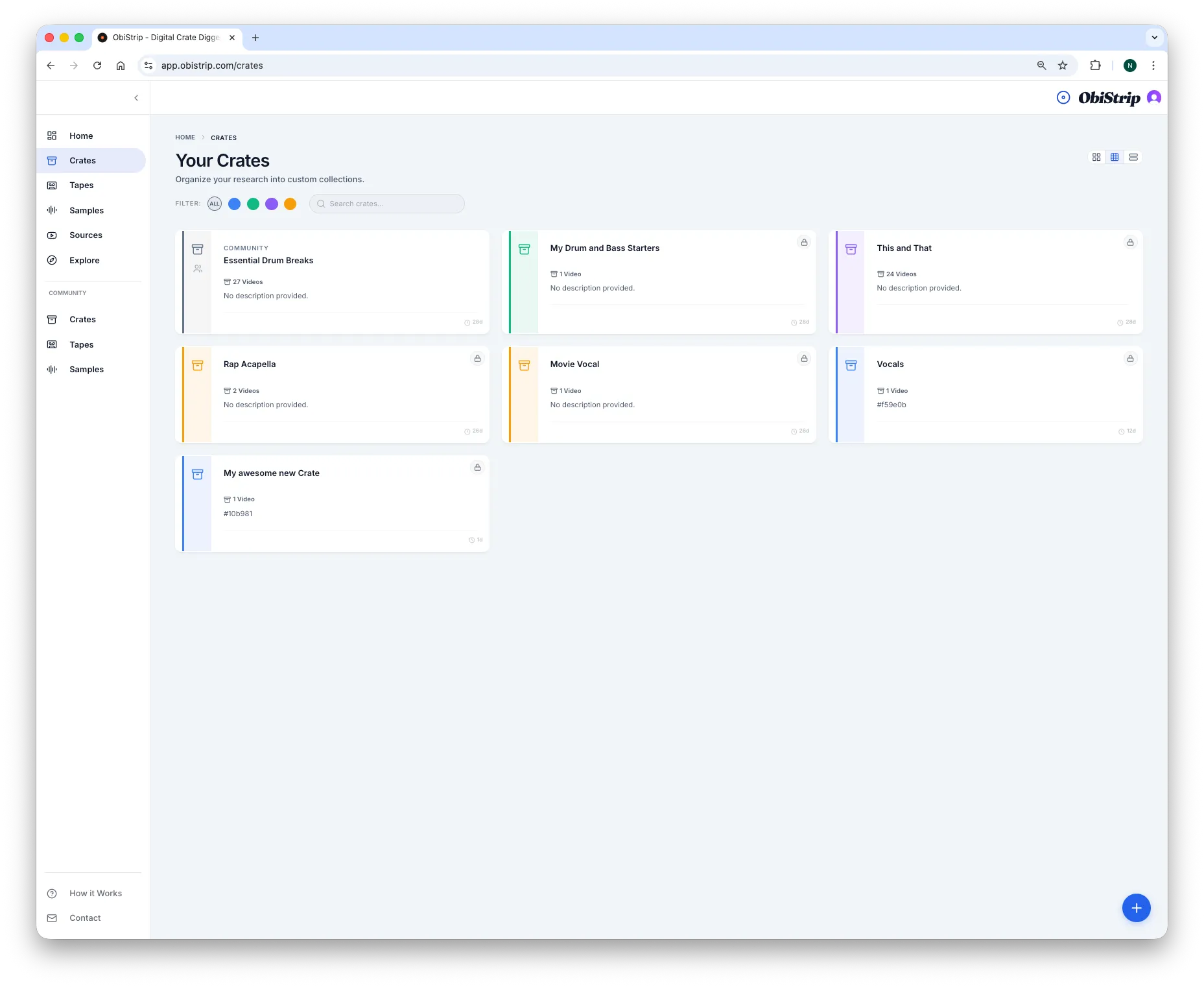
Crates
Organize channels, playlists, and source videos by how you actually dig.
Crates give producers a clear starting point. Instead of dropping every source into one pile, you can separate digging material by mood, era, genre, project, or source type.
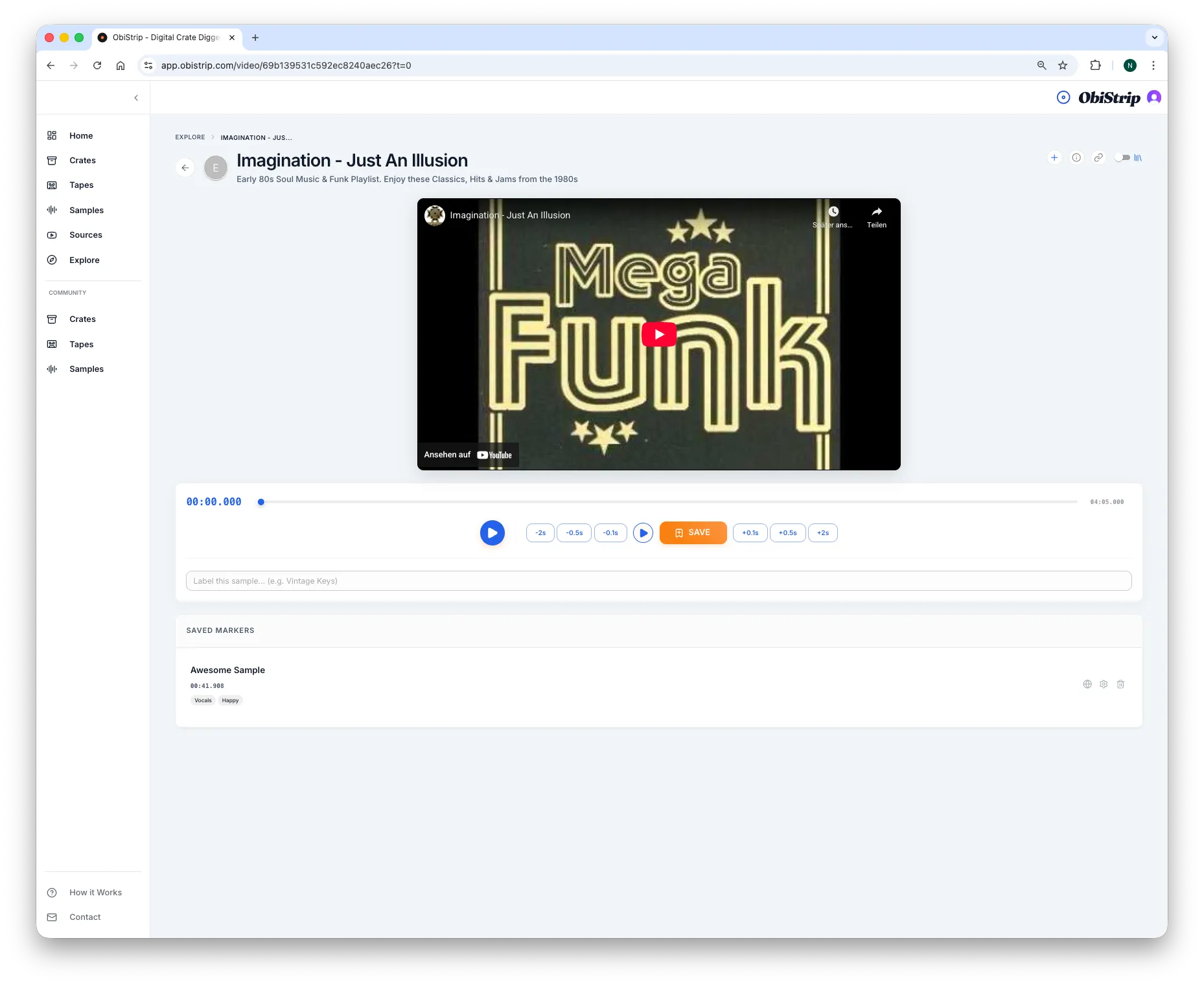
Video
Capture precise moments while the context is still fresh.
Once a source is open, ObiStrip lets you stay inside the listening flow. Play the video, mark the exact moment, and tag what stood out before the idea disappears.
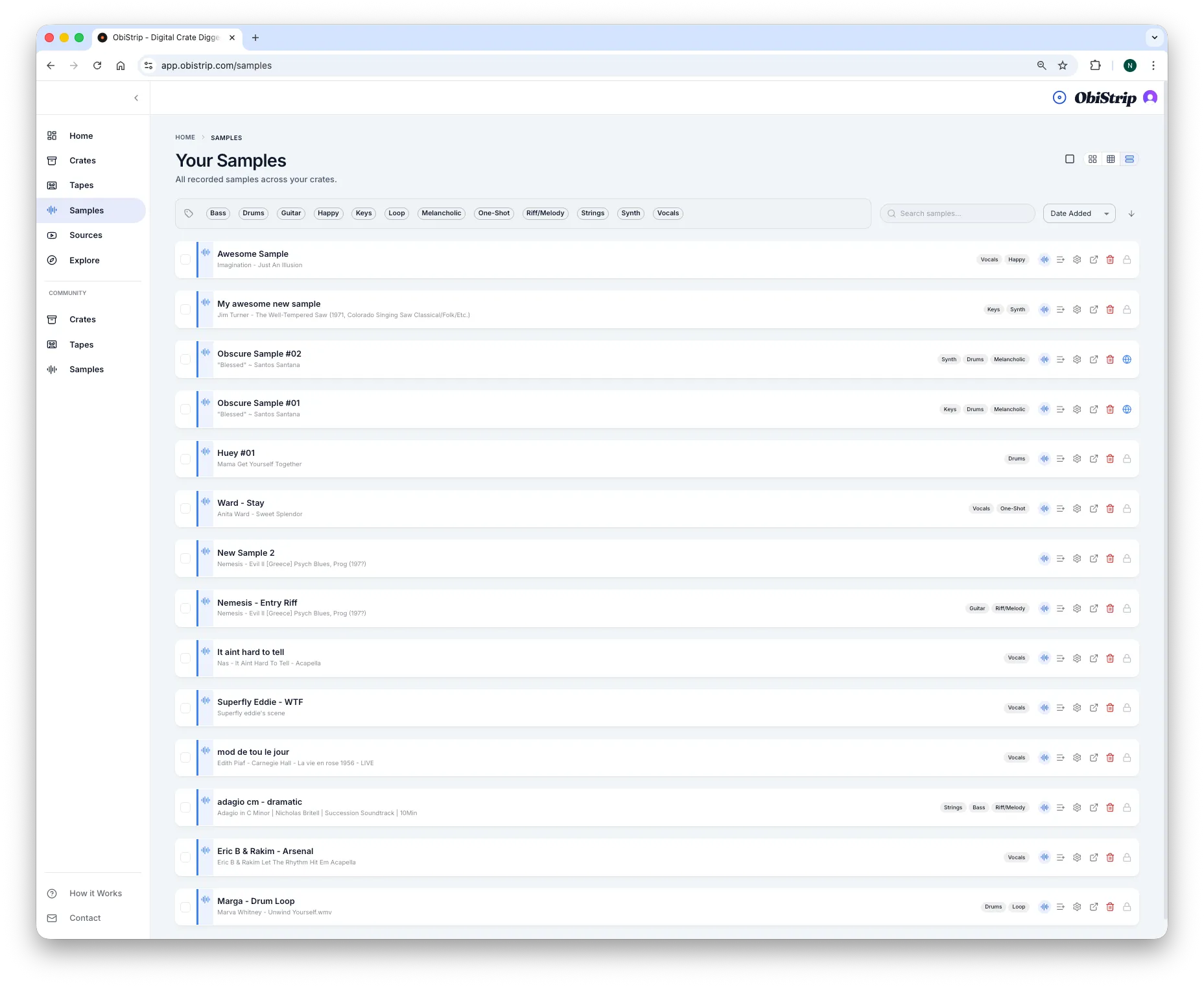
Samples
Save timemarks as reusable sample moments.
Samples preserve the exact second you want to revisit later. That means less scrubbing through long uploads and more immediate access to useful chops, breaks, and textures.
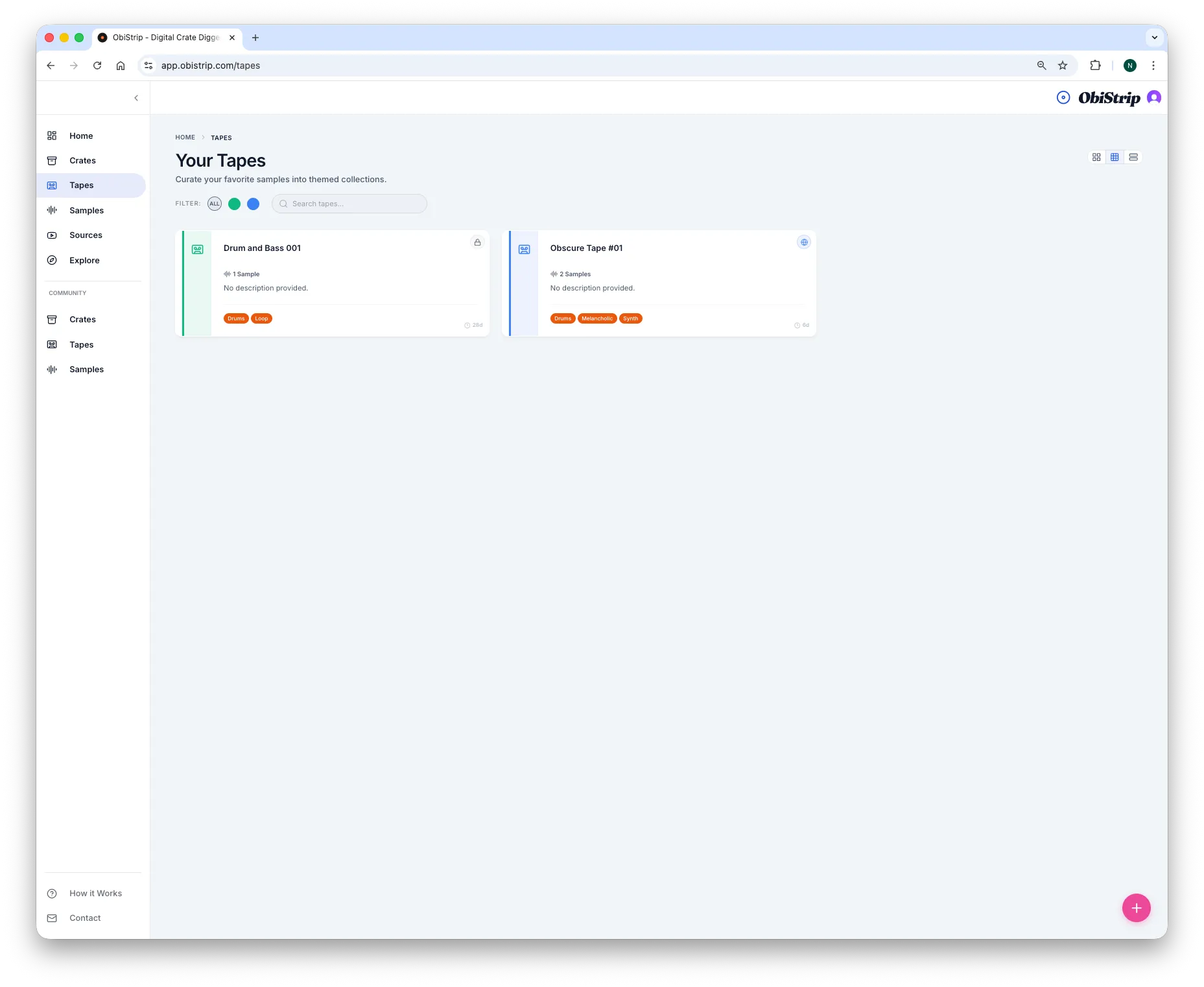
Tapes
Group related finds into a more usable archive.
Tapes help producers move from isolated moments to organized sets of ideas. Use them to collect a session, keep a mood together, or build references around a project.
Product Walkthrough
The goal is simple: spend less time trying to remember where a sample lived and more time building from the moments you already found.
Crates
Group channels, playlists, and long-form source material into focused digging buckets.
Timestamps
Save the exact second a break, loop, or texture appears instead of trusting memory.
Tapes
Bundle related findings together so projects, moods, and reference sets stay connected.
Searchability
Turn scattered discoveries into a library you can revisit when it is time to chop.
Use Cases
ObiStrip is built for producers who do real digging work, not just casual browsing.
- Beatmakers collecting drum breaks from long vinyl rips
- Producers organizing soundtrack moments, textures, and loops
- Sample-based artists saving exact chops before they disappear in the scroll
- Diggers building reference libraries from obscure YouTube channels
Community
Shared digging makes the archive richer.
Community crates, tapes, and samples let producers publish useful digging work so other users can save it into their own library. That makes ObiStrip feel less like a private bookmark tool and more like a living archive.
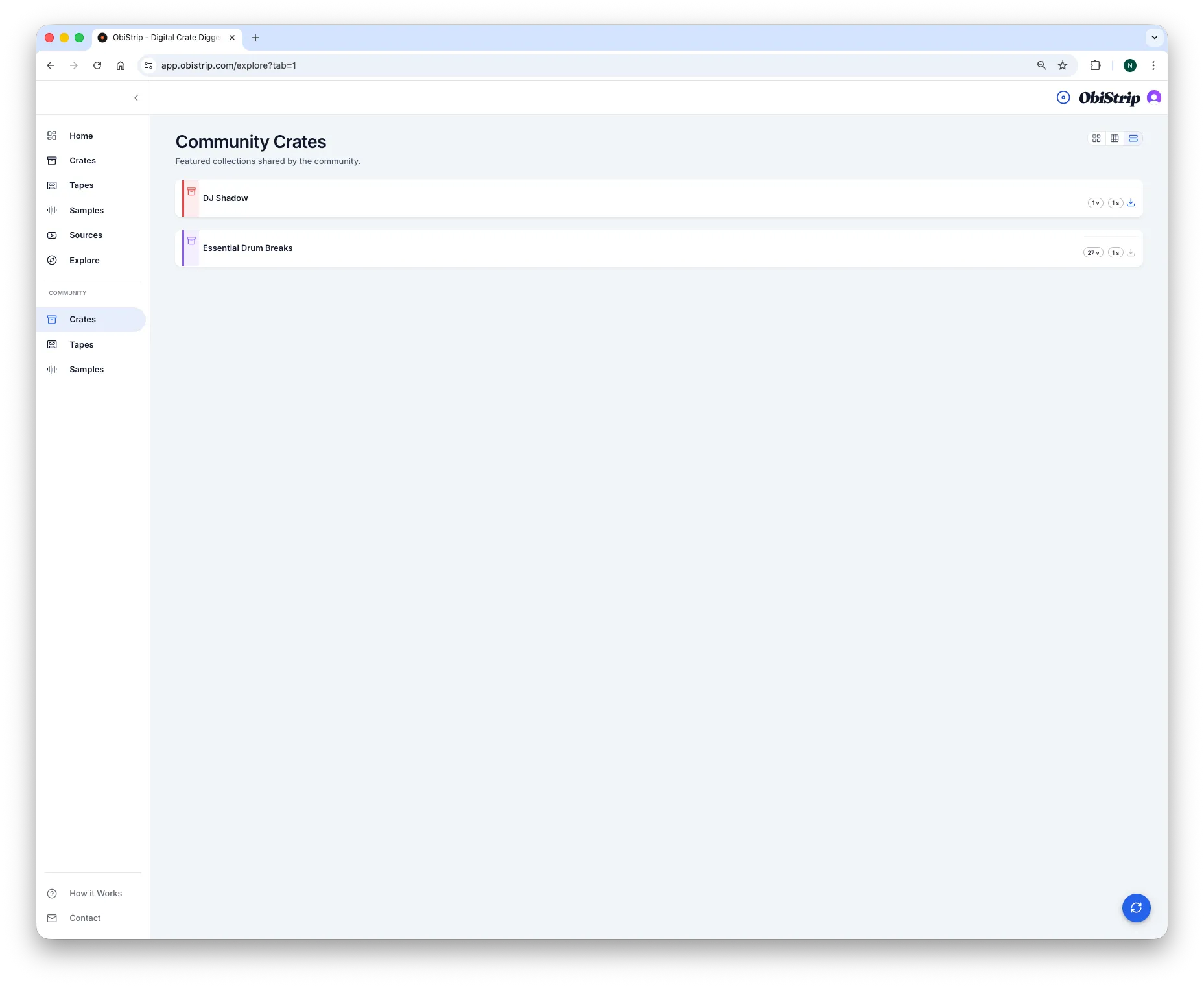
Community Crates
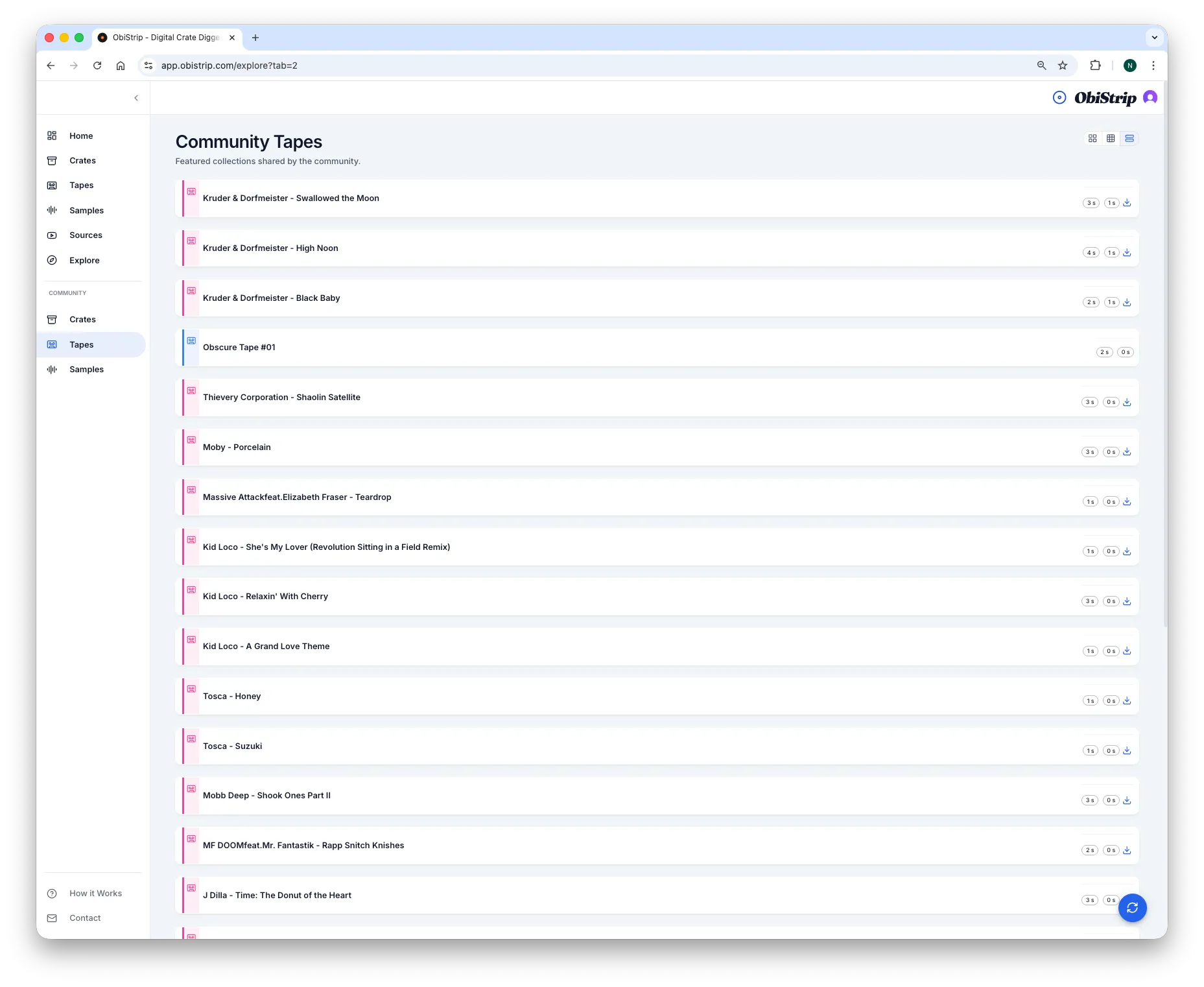
Community Tapes
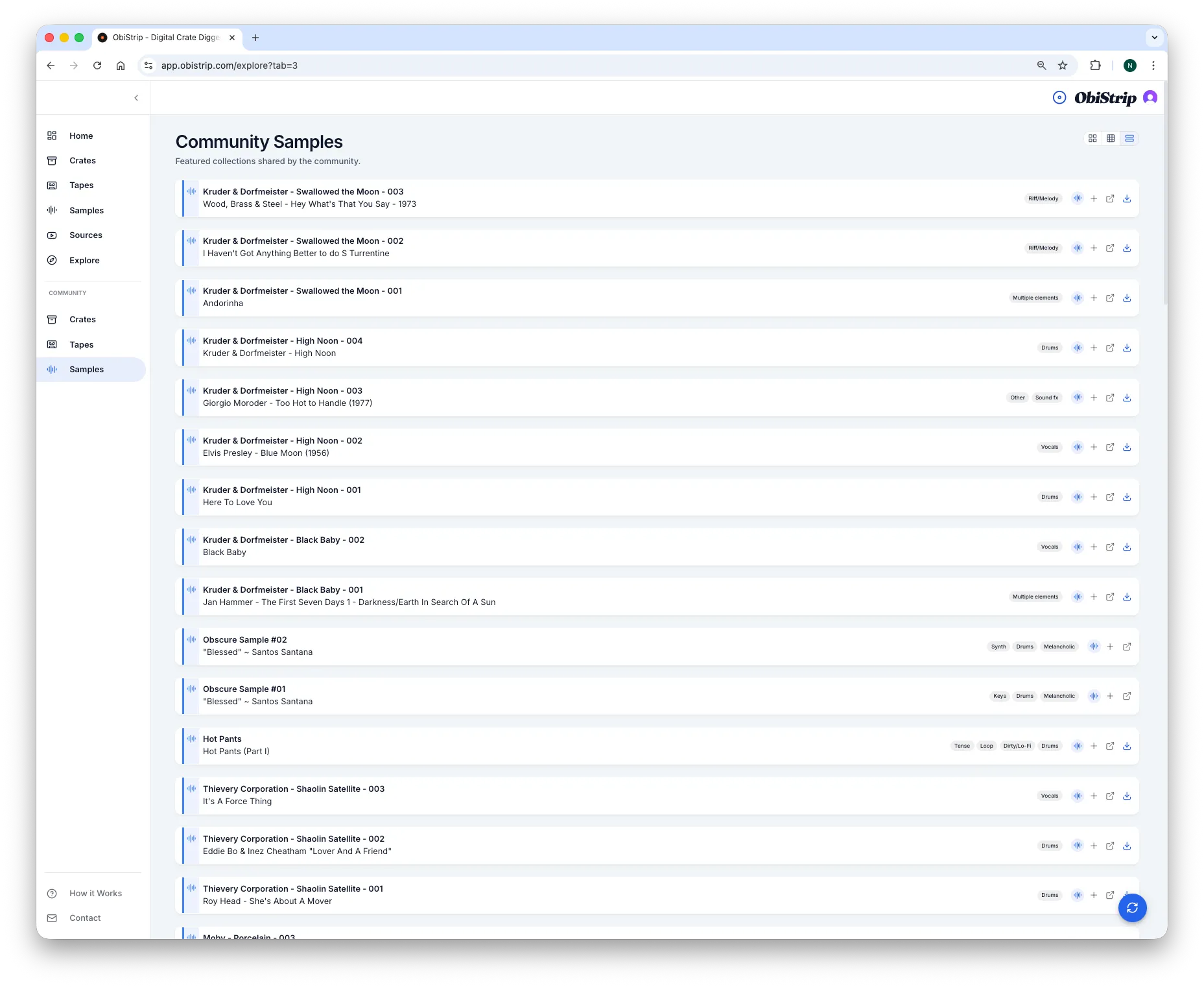
Community Samples
FAQ
Questions producers ask about crate digging on YouTube.
What is crate digging on YouTube?
Crate digging on YouTube means searching through uploads like vinyl rips, soundtrack cuts, mixes, and obscure archives to find sample-worthy moments. The hard part is not only finding material, but organizing the exact moments you want to revisit.
How do producers save sample timestamps from long videos?
A useful workflow saves the precise moment, not only the full video. ObiStrip helps producers keep timestamps, notes, and source organization in one place so they do not need to scrub through long uploads again.
Is ObiStrip a sample downloader?
No. ObiStrip is an organization and timestamp workflow for sample digging. It helps producers track discoveries and revisit moments without downloading or hosting sample files.
How does ObiStrip organize YouTube samples?
ObiStrip uses Crates for source organization, timestamps for exact sample moments, and Tapes for grouped finds. That makes YouTube-based digging easier to search, sort, and revisit.
Why not just use YouTube playlists for crate digging?
Playlists can save whole videos, but they do not help much with exact timestamps, tagging, note-taking, or grouping related moments into a repeatable producer workflow.
Related Guides
Learn the workflow in more detail.
These guides expand the crate digging system around source discovery, organization, timestamp capture, and finding sample chops in long-form uploads.
Guide
What crate digging means in the YouTube era
Context for why producers now dig through uploads, archives, and long-form videos instead of only physical records.
Guide
How to organize YouTube videos for sampling
A practical structure for separating sources, timestamps, and reusable sample references.
Guide
How to save sample timestamps from long videos
A tighter workflow for preserving the exact moments you want to revisit later.
Guide
Best workflow for finding sample chops in long videos
A guide to moving from random browsing to a repeatable digital digging system.
Now Live
Build a faster crate digging workflow.
ObiStrip helps you organize YouTube videos, save timestamps, and come back to the moments that actually matter when it is time to make music.
Start Digging